What to Put on a Certificate
Certificates are easy to make and easy to get wrong. A few simple parts make them look finished.
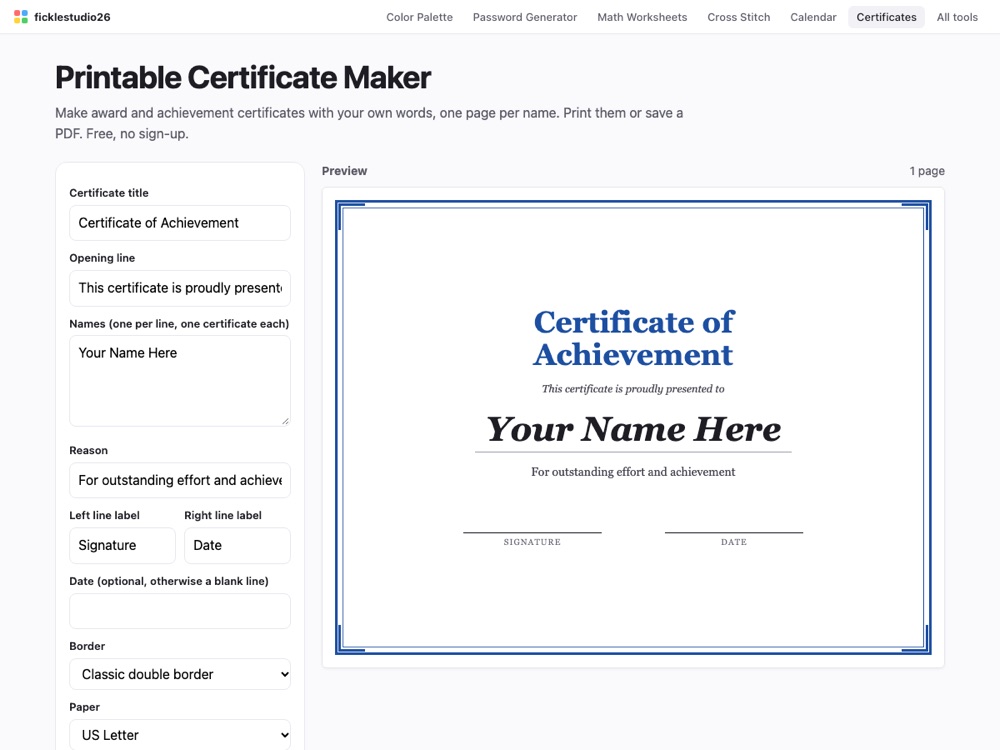 Make certificates
Your wording, up to 40 names, one page per name.
Open the tool →
The parts
- A clear title. "Certificate of Achievement", "Certificate of Completion" or "Participation Award". The title tells the reader what kind of recognition it is.
- The name. Spell it correctly, and check the list before you print.
- The reason. One line about what the person did, such as "for outstanding effort in math" or "for completing the summer reading program".
- Who gives it. A name or a school, team or club.
- A date. You can print it, or leave a blank line and write it by hand.
- A signature line. A real signature makes it feel official.
Choosing the type
- Achievement: for doing something well or reaching a goal.
- Completion: for finishing a course, program or challenge.
- Participation: for taking part, when everyone should be recognized.
Printing tips
Print one test page first and check the spelling. Heavier paper makes a certificate feel more special. Leave the signature and date empty if you plan to fill them in by hand. These are practical suggestions from us, not rules.
Wording that works
- Achievement: "Certificate of Achievement — awarded to Maria Lopez for outstanding effort in math."
- Completion: "Certificate of Completion — awarded to Sam Reed for completing the summer reading program."
- Participation: "Participation Award — thank you for being part of the science fair."
Keep the reason to one line. Specific words ("for helping classmates every day") mean more than general praise.
Layout
- Put the title and the name in the largest type. The date and signature can be small.
- Leave a wide margin, because many home printers cannot print to the edge of the paper.
- Use dark text on a light background so the certificate stays readable when printed in grayscale. See Color Contrast Ratios Explained for how to check a color pair.
- Choose landscape orientation for a traditional look. Check that your paper size, US Letter or A4, matches the printer setting: US Letter vs A4.
Names and accuracy
Check names against the official list, including accents and double names. Print a single test page and have a second person read it before printing the whole batch. For a large group, keep the list in a spreadsheet and paste it in.
Handing it over
Sign each certificate by hand, with a pen that does not smear on the paper you chose. A folder or frame makes a printed sheet look finished. If it is for a child, say the reason aloud when you hand it over.
Make certificatesYour wording, up to 40 names, one page per name.
Open the tool →
Sources
This post is a how-to. It does not rely on outside studies or statistics.